Slice a sound.
Press Chop!
ChopTime cuts a sample on its transients and plays the slices back as a new rhythmic sequence, locked to your DAW. One button builds a musical loop — every tile stays yours to edit.
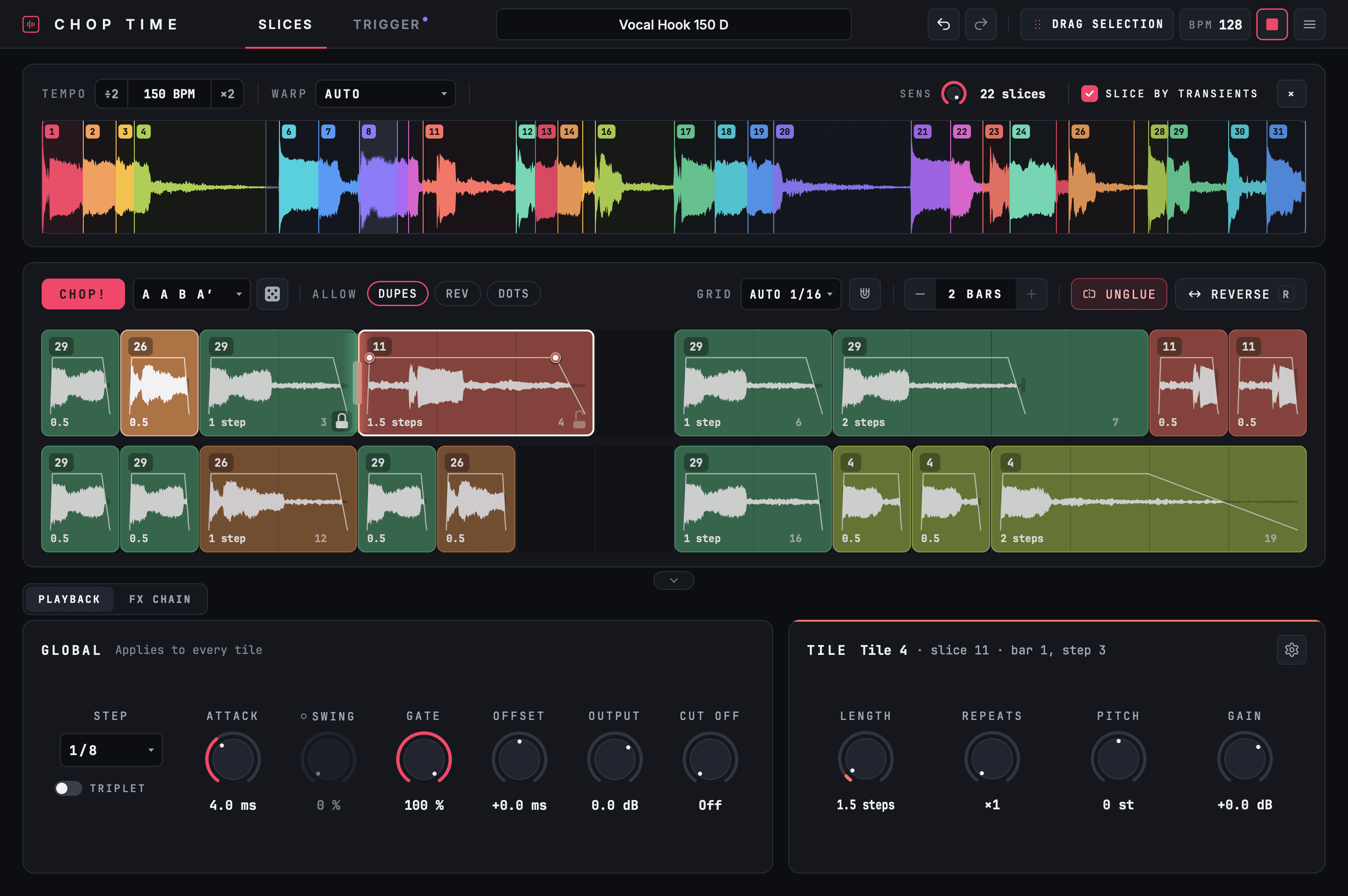
From a sample to a new groove in four moves.
No setup, no manual slicing first. The plugin listens to the sound and does the technical part — the choices stay yours.
Drop a sample.
WAV, AIFF, FLAC, MP3, M4A or a whole folder. Several loops line up as one sound.
It cuts on the attacks.
On the body of every sound — consonants, legato note changes, a pick inside a chord — not on breaths and clicks. Sens decides how many.
One press, a loop.
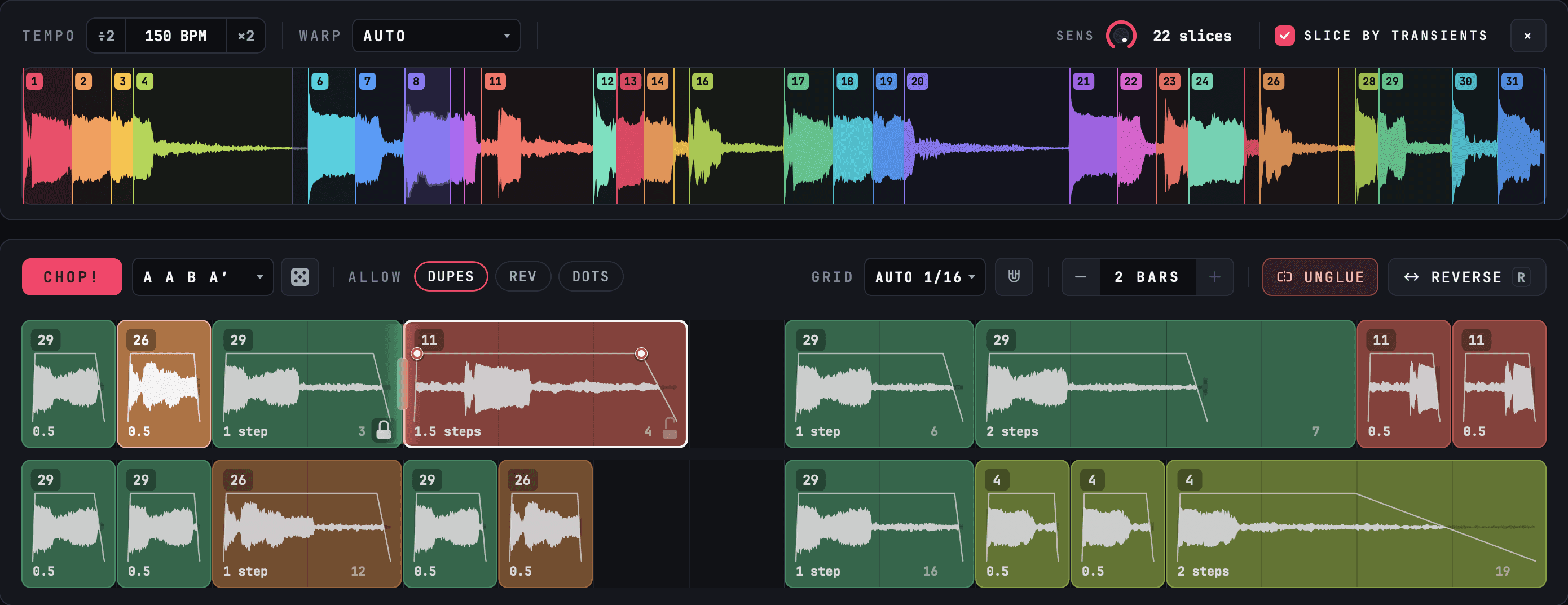
A hook on beats 1 and 3, answers between them, rests in the right places, forms like A A B A′.
Take it with you.
Drag one WAV into your timeline — exactly what you hear, effects included.
Generation that listens.
Chop! hears every slice — how long, how loud, how sharp, how bright, which note — builds 32 drafts around one idea and keeps one of the best.
A phrase, not a shuffle.
Every loop has a hook, a call and an answer. Lock the tiles you love and Chop! fills the rest around them.
- FormsA A B A′, A B A B′, A A A′ B, A B A C or Free
- RolesThe hook plays beats 1 and 3, a second chop 2 and 4, accents on the weak positions
- DiceNew sounds in the groove you already have — the pattern of repeats holds
- Dupes · Rev · DotsRepeated chops, reversed hits and dotted, broken rhythms on request
- Per tileLength, repeats, fades, pitch ±12, gain, reverse, glue and time-stretch
Borrow the groove of another loop.
Drop a bass or drum loop on the TRIGGER tab — its hits become a grid of their own, with their exact microtiming.
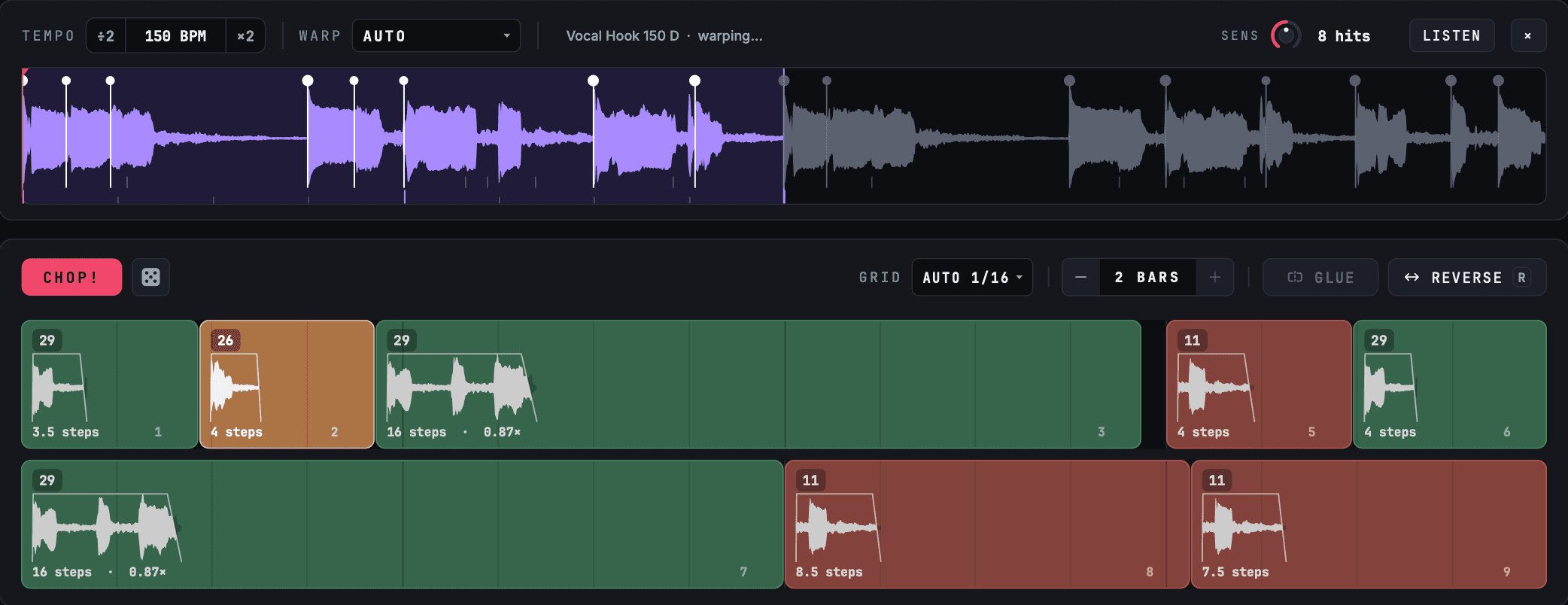
Your slices, their rhythm.
Every chop starts on its attack and sounds through to the next hit, so the sound locks to the groove instead of fighting it.
- SensHow much detail of the rhythm becomes tiles
- One warpTones, Beats, Repitch or Auto — sample and trigger follow the project tempo together
- ListenHear the trigger loop along with the chops, in sync
Effects built into the chop.
A chain of modules after the tiles — drag to reorder, every knob is a host parameter, and Drag to DAW carries them. Every tile also has its own delay and ADSR.

Original, then chopped.
Five loops — a vocal hook, melodies, basses — each with three variations ChopTime made from its slices. Press play to hear one and watch ChopTime chop it. Switch while it runs: each version starts from the top.
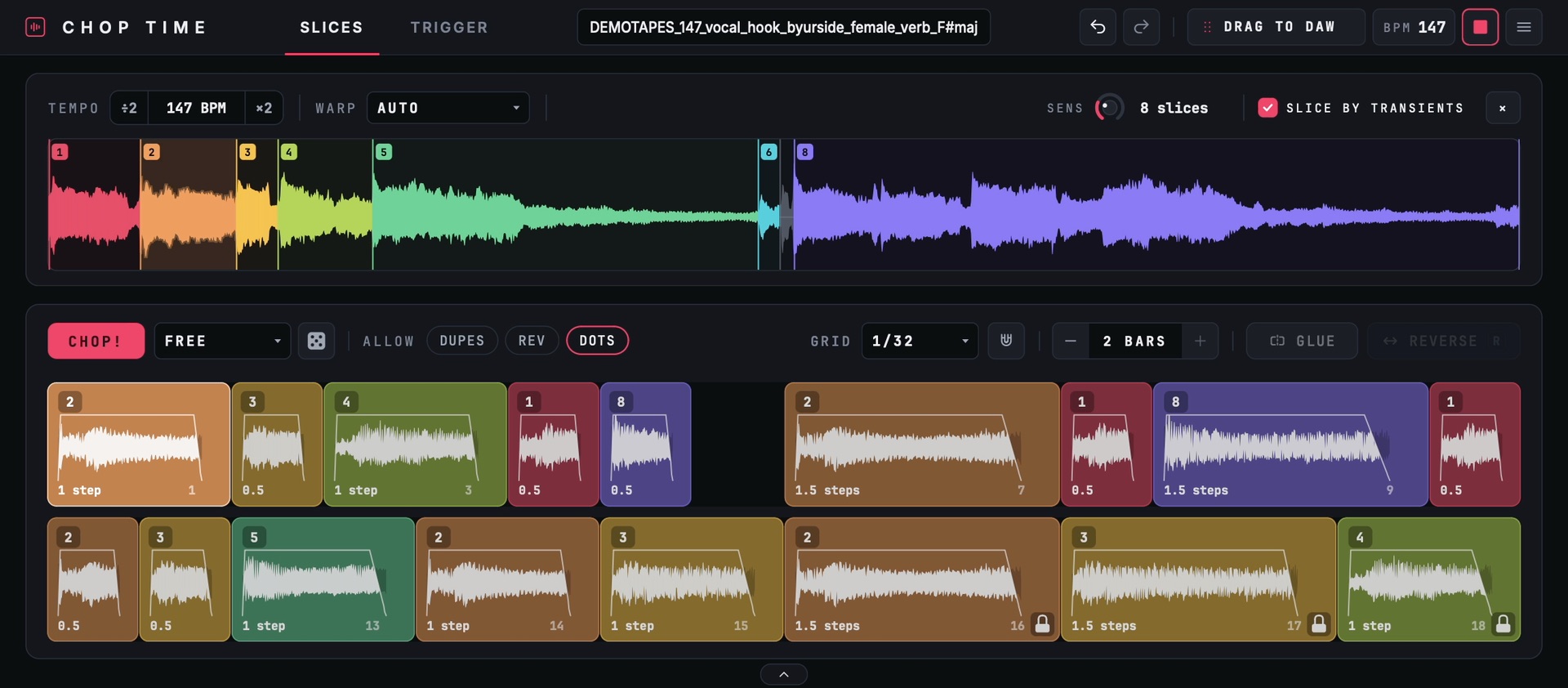
Technical details.
Every action is an undo step, the project keeps your tiles, and presets carry a groove from one sample to the next.
- macOS
- VST3 · AU · Standalone app
- Windows
- VST3 · Standalone app
- Import
- WAV · AIFF · FLAC · MP3 · M4A · folders
- Sync
- DAW tempo and position
- Sounds
- Up to 128 at once · 10 minutes
- Warp
- Tones · Beats · Repitch · Auto
- Export
- Drag to DAW — WAV of the loop or a selection
- Licence
- 1 machine per licence
- Activation
- Online · internet connection required
- Version
- 0.1.1
ChopTime — $25
One-time purchase · 1 machine · online activation